Prelim: Task, Attendance and Productivity Management for QS Teams

Concolabs Editorial
Concolabs Editor

Prelim: Task, Attendance and Productivity Management for QS Teams
Quantity-surveying practices manage estimates, takeoffs, tender documents, valuations, cost reports, claims, meetings, and client submissions across several projects. When tasks sit in spreadsheets, time records remain on paper, and decisions scatter across chat and email, managers lose a reliable view of workload and delivery.
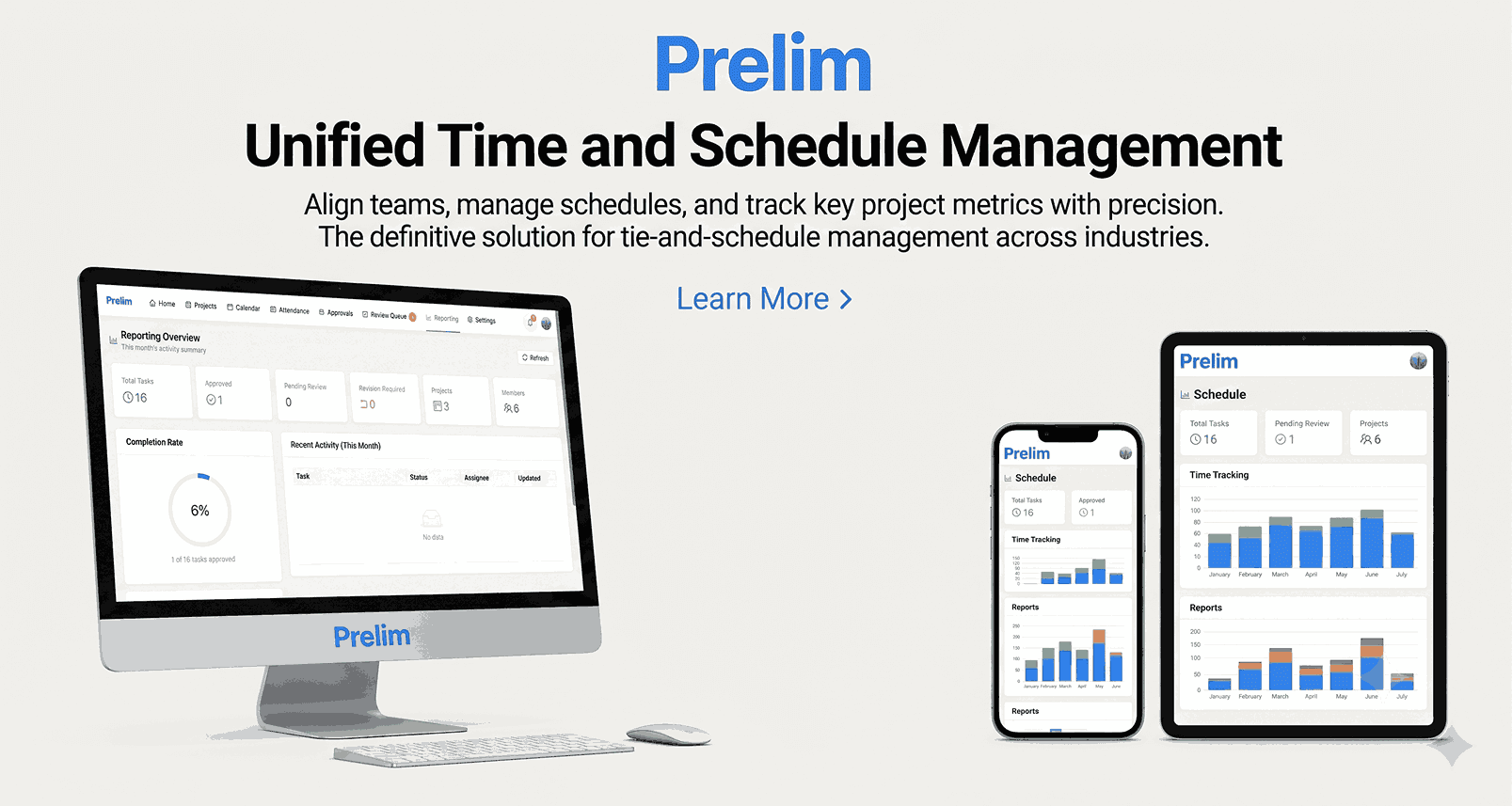
Prelim brings QS tasks, time, attendance, leave, project communication, review stages, and productivity benchmarking into one cloud platform. Every task has an owner, deadline, timer, status, and activity history.
The product is designed to improve practice visibility without reducing professional work to a simple hours target. Quality, complexity, review effort, and client outcomes must remain part of management decisions.
Key takeaways
- Create structured tasks and assign them by QS designation.
- Track live or manually entered time through a five-stage workflow.
- Manage attendance, work location, leave, deadlines, and team communication.
- Compare planned and actual productivity by task, person, and project.
- Concolabs lists a USD $3,900 platform build plus USD $20 monthly hosting.
What is Prelim?
Prelim is a construction task and productivity-management platform built for quantity-surveying consultancies and cost-management teams. It connects operational work with the people, time, discussion, review, and performance information surrounding that work.
Concolabs currently lists Prelim as available in Sri Lanka, the Middle East, and Australia. The platform is deployed as a cloud web application, with an indicated setup period of approximately one week.
Unlike a generic task board, Prelim is organized around QS delivery. It includes structured IDs, scope breakdowns, designation-based assignments, measurement logging, review gates, productivity rates, attendance, and practice-level monitoring.
Why do QS practices need specialist task management?
Quantity-surveying work rarely moves directly from “to do” to “done.” A cost plan, BOQ, tender evaluation, or valuation can pass through preparation, checking, queries, revision, senior review, submission, and sign-off.
Generic task boards can record a title and deadline but may not capture the professional workflow. They also separate tasks from attendance, time, review, client structure, and productivity assumptions.
Fragmented tools create repeated status work. Managers ask staff for updates because no single record shows the current stage, remaining review, query history, or actual effort. Decisions in separate messages are difficult to trace later.
Prelim brings those records together so the team can see both the work and its delivery context.
How does the Prelim task workflow operate?
The Prelim workflow tracks each assignment through five main stages.
1. Assigned
Work is created against a defined scope and receives a structured task ID. It is assigned to a named person or designation with a deadline and planned productivity rate.
A strong brief should describe the expected output, source information, review standard, assumptions, and dependencies. A timer cannot compensate for an unclear task.
2. In Progress
The assignee records work through a live timer or manual time entry. Measurement information, queries, risks, comments, and status changes remain attached to the task.
Color-coded deadlines help users identify work approaching risk before it becomes overdue.
3. Sent to Review
The completed working output enters a formal review gate. A QS lead or other authorized reviewer can inspect the submission, return comments, and preserve the activity trail.
This stage separates preparation from approval. It also makes review workload visible instead of treating submission as completion.
4. Submission
After review, the approved deliverable moves to formal submission. The task record can show who approved it, when it was sent, and which client or project it belongs to.
Teams should configure naming, document-location, and issue-status rules so Prelim's task record aligns with the controlled deliverable.
5. Completed
The task closes after delivery and sign-off. Planned and actual effort can then contribute to future productivity benchmarks and workload planning.
Completion should represent an accepted output, not merely the end of logged time.
What task-management features does Prelim include?
Prelim combines the core elements required to manage a QS team's daily delivery:
- Structured task IDs and scope breakdowns
- Designation-based assignment across QS roles
- Client and project grouping
- Live timers and manual time entry
- Measurement logging
- Risk and query flags
- Five-stage task statuses
- Color-coded deadline indicators
- Formal review and sign-off gates
- Full task activity history
- In-application and email notifications
This structure makes work traceable from initial brief to completed submission. Managers can inspect current status without asking staff to reconstruct the history manually.
How does built-in project chat improve coordination?
Prelim's In-Platform Messenger gives projects their own discussion threads. Questions, clarifications, decisions, and agreed changes can remain connected to the work they affect.
This reduces the risk of losing important decisions across messaging applications and email chains. A reviewer can see the task status, logged time, query, replies, and submission history together.
Communication still needs discipline. Project teams should define which discussions require a formal instruction, controlled document, client notice, or contractual record outside the task conversation.
The messenger is strongest for operational coordination. It shouldn't replace required formal communications.
How do attendance and leave functions work?
Staff use self-service check-in and check-out through the platform. They select their work location, such as office, site, or remote, and can be recorded as present, absent, half-day, or on leave.
Leave requests pass through an approval workflow. Each attendance and leave event receives a timestamp and remains in the audit trail.
Attendance information can help managers understand available capacity across projects and locations. However, attendance isn't the same as productive output. The organization should avoid treating presence alone as a performance measure.
Policies should explain permitted work locations, corrections, approvals, privacy, retention, and access to staff records.
What does productivity benchmarking measure?
Prelim compares the planned rate for a task with the rate actually achieved. It then produces efficiency and variance information across the task, individual, project, and practice.
The simplest comparison asks whether the deliverable required more or less effort than expected. Useful interpretation asks why.
Variance may result from:
- Incomplete or changing source information
- Greater project complexity
- Unclear instructions or scope
- Client revisions and additional requests
- Rework after a quality issue
- Slow review or approval
- Staff experience and training needs
- Poor initial effort assumptions
- Technology or information-access problems
Productivity data should improve planning, resourcing, and processes. It shouldn't be used as an isolated ranking of people without context.
Which QS productivity KPIs should managers review?
Prelim provides planned-versus-actual rates and variance analytics. Practices can combine those measures with operational indicators that preserve quality and client outcomes.
Useful KPIs include:
- Planned effort versus actual effort
- On-time task completion
- Review turnaround time
- First-pass approval rate
- Rework hours
- Overdue tasks by project and owner
- Work in progress at each stage
- Queries awaiting resolution
- Staff utilization and available capacity
- Deadline risk by project
- Submitted deliverables awaiting sign-off
No single KPI describes professional performance. Managers should review a balanced set and investigate patterns rather than reacting to one variance.
How do calendars and notifications support delivery?
Prelim brings deadlines, milestones, meetings, submissions, and hearing dates into one shared view. In-application and email notifications alert users as deadlines approach.
This can improve coordination where one project contains many commercial deliverables. A valuation date, tender return, client meeting, and claim submission may require different preparation and review lead times.
The calendar should distinguish hard contractual deadlines from internal targets. Each important date needs an owner, reminder schedule, dependency, and escalation route.
Notifications should be configured carefully. Too many alerts can become background noise, while too few can leave risks invisible.
What do Prelim management dashboards show?
Prelim includes a monitoring layer for Heads of Country, department leaders, and practice managers. Dashboards can show workload, progress, productivity, and performance across projects and teams.
This helps leaders identify overloaded reviewers, projects with growing variance, stalled tasks, and uneven resource allocation. It can also support quarterly planning and evidence-based effort estimates.
Access should follow organizational responsibility. Individual staff information, attendance, and performance records may be sensitive. Managers should see the detail required for their role without giving every user unrestricted visibility.
Dashboard interpretation should always include task complexity, quality, and project conditions.
How is Prelim different from generic project-management software?
Generic tools provide boards, tasks, and basic collaboration. Prelim adds operational functions specific to QS practices: measurement logging, designation-based assignment, review stages, attendance, leave, planned productivity rates, and variance analysis.
Its client and project organization also reflects consultancy delivery. Every task can be traced through brief, preparation, review, submission, and completion.
The difference isn't that generic software cannot record a QS task. It is that Prelim combines the task with the professional workflow and practice-management data surrounding it.
Firms should test whether this specialist structure reduces configuration work and improves reporting compared with their existing tools.
Are BOQ export and proposal generation included?
No. The current Prelim product page states that BOQ export, Proposal Support, and Auto Proposal are outside the base platform.
These functions can be added later through a written variation. Additional scope is listed at USD $10 per hour, with the work scoped and agreed before development begins.
Buyers should keep the base-platform acceptance criteria separate from optional features. This prevents future requirements from being mistaken for included functionality.
What does Prelim cost?
As of August 2026, Concolabs lists a USD $3,900 one-off platform build. The package includes the baseline platform with four core modules and the V2 feature set, delivered and signed off.
Hosting and maintenance are listed at USD $20 per month. This includes server hosting, 100 GB of storage, support, bug fixes, uptime monitoring, and roadmap improvements.
Additional agreed scope is priced at USD $10 per hour. Buyers should confirm current module definitions, users, onboarding, migration, integrations, training, support, taxes, data ownership, and acceptance terms before purchasing.
How should a QS consultancy implement Prelim?
Start with a clear task taxonomy and delivery process. List common work types such as takeoff, cost plan, tender report, valuation, variation review, claim assessment, meeting, and client submission.
Define the owner, reviewer, stages, expected effort, output, and sign-off for each task type. Then configure clients, projects, roles, attendance rules, calendars, permissions, and dashboards.
A useful pilot should measure:
- Percentage of work captured in structured tasks
- Task status and deadline accuracy
- Time-record completeness
- Review and approval traceability
- Reduction in separate status reporting
- Usefulness of planned-versus-actual variance
- Attendance and leave workflow accuracy
- Chat and query traceability
- Dashboard usefulness for resource planning
- User adoption across QS roles
The objective is a better operating system for the practice, not more administration.
Frequently Asked Questions
What is Prelim?
Prelim is a cloud task, attendance, communication, and productivity-management platform built for quantity-surveying consultancies. It tracks work from assignment through review, submission, and completion while comparing planned and actual effort.
Can the team chat about tasks inside Prelim?
Yes. The In-Platform Messenger provides project-based threads so discussions remain connected to tasks and activity history. Formal instructions and contractual communications should still follow the project's required process.
How do attendance and leave work?
Staff check in and out, select office, site, or remote work locations, and use present, absent, half-day, or leave statuses. Leave requests follow an approval workflow, with timestamped records retained for audit.
What does productivity benchmarking measure?
Prelim compares planned productivity or effort with the actual result. It produces efficiency and variance information by task, person, and project. Managers should interpret the data alongside quality, complexity, changes, and review requirements.
Can we manage several clients and projects at once?
Yes. Projects are grouped under their clients, and every task receives a structured identifier. This supports traceability, workload monitoring, and reporting across the entire consultancy.
Are BOQ export and proposal generation included?
No. BOQ export, Proposal Support, and Auto Proposal are outside the current base scope. Concolabs states that they can be added through a written variation at the agreed additional-scope rate.
Does Prelim include review and approval stages?
Yes. Tasks move through Assigned, In Progress, Sent to Review, Submission, and Completed stages. The workflow preserves status changes, discussion, time, reviewer activity, and sign-off history.
Can managers see workload across the practice?
Yes. Prelim includes dashboards for country and department leaders to review workload, progress, deadlines, productivity, and performance across teams and projects, subject to configured permissions.
How much does Prelim cost?
The Prelim product page currently lists a USD $3,900 one-off platform build, USD $20 monthly hosting and maintenance, and USD $10 per hour for separately agreed additional scope.
Run the QS practice from one structured workflow
Prelim connects tasks, time, attendance, leave, team chat, review stages, calendars, and productivity benchmarking in one platform built for quantity surveyors.
The strongest implementation uses the data to improve task planning, resource allocation, quality, and delivery—not to reduce professional performance to hours alone. With a clear task taxonomy and review process, Prelim can replace fragmented spreadsheets and status messages with a traceable operating view.
Explore Prelim or review the complete Concolabs product suite for connected estimating, measurement, contract, and practice-management workflows.