BuildMonitor Mobile App: Automate Daily Construction Progress Reports

Concolabs Editorial
Concolabs Editor

buildmonitor-mobile-app-hero
BuildMonitor Mobile App: Automate Daily Construction Progress Reports
Daily Progress Reports are essential construction records, but producing them often becomes an end-of-shift administrative task. Site managers reconstruct the day from memory, search through phone photos, collect labour figures, and type everything into a spreadsheet.
BuildMonitor Mobile App moves reporting into the working day. Site personnel record activities, quantities, photos, safety events, labour, equipment, and delays on mobile as they happen. The application then generates a Daily Progress Report in the format required by the contract.
The result is a more consistent site record with less repeated typing. Supervisors still review and approve every report before formal submission.
Key takeaways
- Capture construction progress on Android or iOS during the workday.
- Continue recording in offline mode and synchronize when connectivity returns.
- Link timestamped, geolocated photos to specific activities.
- Generate configurable Daily Progress Reports and synchronize data with the ERP.
- Concolabs currently lists BuildMonitor at USD $100 per user per year.
What is BuildMonitor Mobile App?
BuildMonitor is a mobile construction site-reporting product for site managers, foremen, and delivery teams. It transforms structured field observations into a complete Daily Progress Report, commonly called a DPR.
The product is designed for contractors and builders in the Middle East and Sri Lanka. Concolabs describes it as a scaling product with an implementation timeline of approximately one week for application setup and user training.
BuildMonitor supports Android and iOS devices. Its offline mode allows site personnel to continue recording information where mobile or Wi-Fi connectivity is unreliable.
Why are manual Daily Progress Reports unreliable?
Manual DPR preparation separates observation from documentation. A site manager may record events informally during the day, then produce the official report after a long shift. Important details can be forgotten, simplified, or assigned to the wrong activity.
Photos create another gap. Images may remain in personal camera rolls without clear links to dates, locations, quantities, instructions, or work items. Labour and plant information may arrive from several supervisors in different formats.
The final spreadsheet can also depend on the author. Two managers may describe the same event differently or omit information required by the contract.
BuildMonitor replaces memory-based compilation with structured capture. The report is assembled from information recorded closer to the event.
How does BuildMonitor Mobile App work?
The BuildMonitor workflow follows five connected stages from field entry to approved report.
1. Site personnel open the mobile application
Authorized users access the project through an Android or iOS device. Offline operation allows them to work without continuous network access.
The setup should define projects, locations, activities, trades, user roles, report templates, and approval responsibilities before field use begins.
2. Record progress as work happens
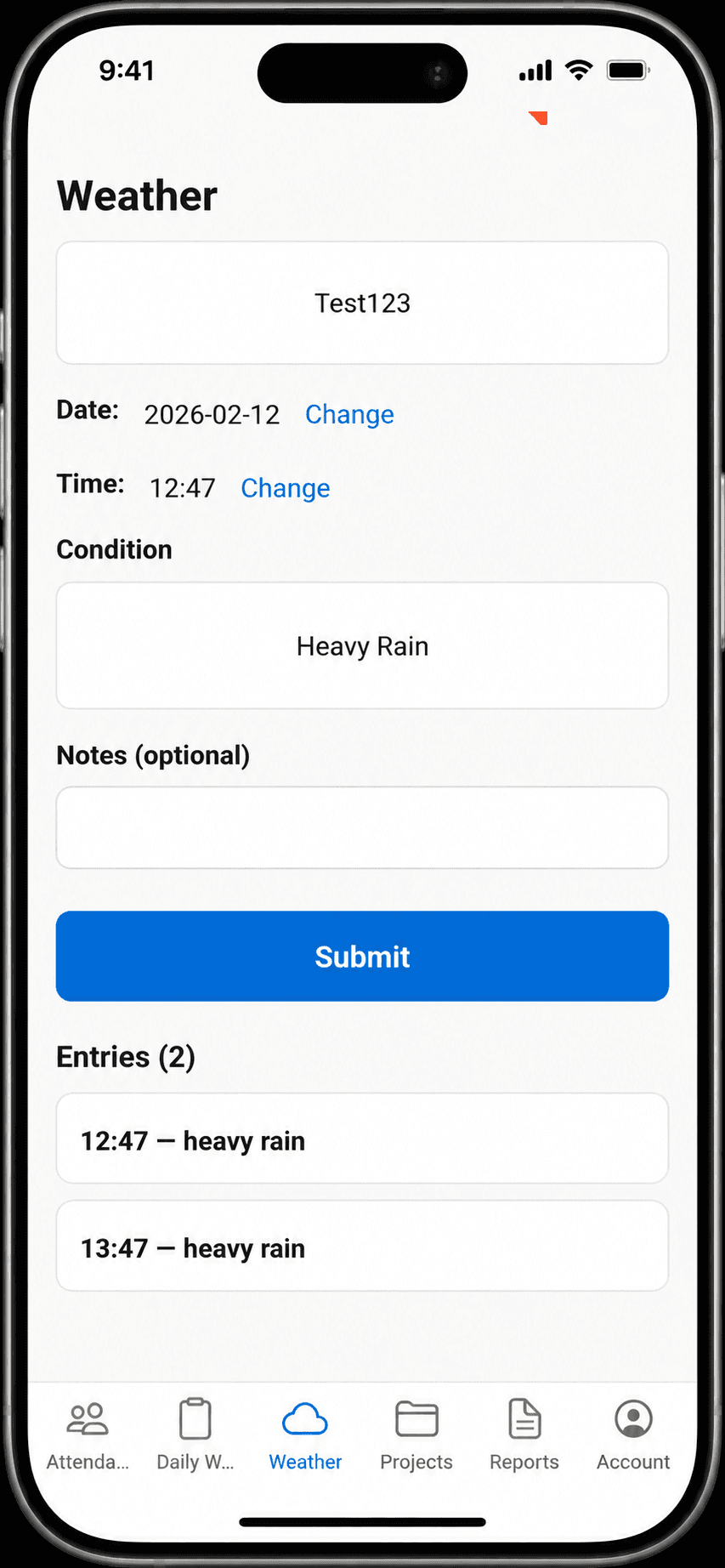
Users complete quick structured entries during the working day. Concolabs lists the following capture categories:
- Completed activities
- Installed quantities
- Timestamped and geolocated photographs
- Safety hazards, incidents, and near misses
- Issues, delays, and blockers
- Equipment status and operating hours
- Labour and subcontractor counts
Recording information at the point of work improves context. Each entry can be connected to the activity it supports rather than becoming an isolated note or photograph.
3. Synchronize information with the office
When connectivity becomes available, the recorded information synchronizes with the office system. Concolabs also describes automatic ERP synchronization, which reduces duplicate entry.
The organization should define what happens when two users edit related information, how conflicts are resolved, and which synchronized record becomes authoritative.
4. Generate the Daily Progress Report
BuildMonitor compiles the site entries into a structured DPR. The generated report can include activity times, quantities and their sources, linked photographs, safety information, issue status, labour hours by trade, and equipment operating hours.
The supervisor reviews the report for completeness and accuracy. Missing information or incorrect entries should be corrected before approval.
5. Export and submit the report
Concolabs states that templates can be configured around FIDIC, NEC, JCT, or custom requirements. Reports can be exported as PDF, sent by email, or synchronized with project-management systems.
Configuration doesn't automatically make every report contractually sufficient. Project teams should confirm the exact reporting obligations, submission timeline, recipient, and approval process.
What information should a BuildMonitor DPR contain?
A useful Daily Progress Report gives managers and contract administrators a clear account of what happened on site. BuildMonitor organizes several evidence types into one record.
Depending on the project template, the DPR can include:
- Date, project, location, and reporting period
- Activities started, continued, and completed
- Start and finish times
- Installed quantities and measurement source
- Labour numbers and hours by trade
- Subcontractor attendance
- Equipment type, status, and operating hours
- Deliveries and material information
- Safety observations, incidents, and near misses
- Delays, blockers, instructions, and resolution status
- Timestamped and location-tagged photographs
- Reviewer and submission status
The project should configure only fields that support management, compliance, or the contract. Excessive data entry can reduce field adoption.
How does offline mode support construction sites?
Construction connectivity is often inconsistent, especially across basements, remote sites, large compounds, and early infrastructure works. BuildMonitor allows users to record information without a live connection.
Entries remain available for synchronization when mobile data or Wi-Fi returns. This prevents users from postponing documentation until they reach the site office.
Offline implementation should be tested carefully. Teams need rules for device security, synchronization status, conflicting entries, lost devices, and data that remains unsynchronized at report cut-off time.
The interface should also show users whether an entry is stored locally, synchronized, reviewed, or included in an issued report.
How do timestamped and geolocated photos improve reporting?
BuildMonitor automatically records timestamps and GPS information with site photographs. Photos can be connected to specific activities instead of being stored as a separate visual archive.
This improves traceability when managers review progress, workmanship, access, delays, safety issues, or completed quantities. The report can show the photo beside the relevant site entry.
Location data has limits. GPS accuracy can vary, particularly inside buildings or around dense structures. A complete photo record should also include the project area, activity, direction, description, and responsible user.
Project teams should define privacy, retention, and permitted photography rules before enabling location-tagged media.
Can BuildMonitor match different contract reporting formats?
Yes. Concolabs describes configurable templates for FIDIC, NEC, JCT, and custom client requirements. This allows the application to generate a consistent output rather than relying on each site manager's spreadsheet style.
Template setup should begin with the actual contract and approved sample report. Identify required fields, terminology, submission deadlines, signatories, attachments, and distribution rules.
The template should be version-controlled. If the client or administrator changes the reporting format, the project should test and approve the revised output before field deployment.
How does BuildMonitor synchronize with an ERP?
BuildMonitor can send structured site information into the organization's ERP, reducing repeated office entry. Labour, plant, quantities, activities, and report status can therefore contribute to wider management and financial workflows.
Integration needs a clear field mapping. Activity codes, cost codes, project locations, trade names, units, users, and equipment identifiers should match across systems.
Not every DPR entry should automatically create a financial transaction. Organizations need validation and approval rules that distinguish field observations from certified quantities, payroll data, cost postings, and contractual entitlements.
Can BuildMonitor support multiple languages and users?
Concolabs states that BuildMonitor supports local languages to improve site adoption and reporting accuracy. The exact language set should be confirmed during implementation.
Multiple site users can contribute to the same project. This supports distributed responsibility across site managers, foremen, engineers, safety personnel, and trade supervisors.
Role permissions remain important. Users should see only the projects and functions relevant to them. The system should record who created, edited, reviewed, approved, and submitted each entry.
Consistent terminology is also necessary. Translated activity lists and report outputs should preserve the intended contractual meaning.
Does a Daily Progress Report prove a construction claim?
No single DPR automatically proves contractual entitlement. However, timely and consistent reports can strengthen the contemporaneous project record.
They can help explain what work occurred, which resources were present, when a blocker arose, and what evidence was captured. Later analysis may connect those records with notices, instructions, programs, correspondence, measurements, and contract clauses.
Site teams should avoid turning the DPR into an unsupported opinion document. Record observable facts, identify sources, distinguish reported issues from confirmed causes, and follow contractual notice procedures separately.
BuildMonitor supports better records. Claims analysis and legal interpretation remain with qualified professionals.
BuildMonitor compared with manual Excel reporting
Concolabs compares the traditional workflow with more than one hour of end-of-day administration for each site manager. BuildMonitor is described as requiring approximately ten minutes of structured checklist and photo capture during the day.
The manual approach depends on memory, produces inconsistent formats, leaves photos disconnected, and often requires separate ERP entry. BuildMonitor records information as work happens, standardizes the report, links media to activities, and synchronizes structured data.
Actual savings depend on template complexity, user adoption, integration, and review requirements. A pilot should measure reporting time and information quality rather than relying only on published estimates.
What does BuildMonitor cost?
As of August 2026, the BuildMonitor product page lists a license price of USD $100 per user per year.
Concolabs estimates that a typical project with three to five site personnel would cost approximately USD $300 to $500 per year. The listed implementation timeline is one week for setup and training.
Buyers should confirm current pricing, minimum users, supported devices, offline storage, template configuration, ERP integration, languages, training, support, taxes, and regional availability before purchasing.
How should a contractor pilot BuildMonitor?
Choose one active project with a cooperative site team and a known DPR requirement. Configure the real contract template rather than a generic form.
Run the mobile workflow alongside the existing process for a controlled period. Compare report completeness, submission time, photo traceability, quantity accuracy, user effort, and office re-entry.
A useful pilot should measure:
- Time spent recording information each day
- Time required to review and issue the DPR
- Percentage of required fields completed
- Number of missing or unlinked photographs
- Accuracy of labour and equipment records
- Offline capture and synchronization reliability
- ERP field-mapping accuracy
- User adoption across roles and languages
- Report-template compliance
- Quality of the audit trail
The project should set acceptance thresholds and appoint owners for configuration, training, review, security, and support.
Frequently Asked Questions
What if the construction site has no internet connectivity?
BuildMonitor has an offline mode. Site personnel can continue recording activities, quantities, photos, incidents, labour, and equipment information. The data synchronizes when mobile data or Wi-Fi becomes available.
Can we customize BuildMonitor to our own DPR format?
Yes. Concolabs states that templates can be configured for FIDIC, NEC, JCT, or custom contract and client requirements. Teams should provide the approved format and test the generated report before deployment.
What happens if information is entered incorrectly?
Incorrect entries should be corrected through the project's review workflow before the DPR is issued. The system should retain an audit trail showing the original entry, editor, change, date, reviewer, and approval status.
Does BuildMonitor work on older mobile devices?
The product supports Android and iOS, but the accessible page doesn't list minimum operating-system or device requirements. Buyers should test the actual phones used by the site team during implementation.
Can multiple users enter data on the same project?
Yes. BuildMonitor is designed for site personnel to contribute information to a shared project. Roles and permissions should define who can record, edit, review, approve, and submit each type of information.
How is BuildMonitor data secured?
The accessible product page doesn't publish a complete security specification. Buyers should confirm encryption, hosting, access controls, offline-device storage, authentication, audit logs, retention, deletion, backup, and ERP permissions directly with Concolabs.
Are photographs automatically timestamped and geolocated?
Yes. Concolabs states that each photo can include an automatic timestamp and GPS location. Teams should also add the activity, site area, description, and user for stronger context.
Can BuildMonitor synchronize with our ERP?
Yes. ERP synchronization is a listed capability. Exact compatibility, field mapping, validation, and approval rules depend on the organization's existing system and should be confirmed during implementation.
How much does BuildMonitor Mobile App cost?
The product page currently lists USD $100 per user per year. A typical three-to-five-person project is estimated at USD $300 to $500 annually. Confirm current terms through the BuildMonitor product page.
Generate the DPR instead of typing it after the shift
BuildMonitor Mobile App connects structured field capture with automatic Daily Progress Report production. Site teams can record activities, quantities, photographs, safety events, labour, equipment, and issues while work is happening—even without connectivity.
Contract-configurable templates and ERP synchronization reduce repeated administration, while supervisor review preserves accountability. The result is a more timely and traceable site record.
Explore BuildMonitor Mobile App or review the complete Concolabs product suite for connected site measurement, reporting, and contract-management workflows.