Finding What Changed Between Addendum 3 and 4: AI Contract & Spec Review for Busy QS Teams

Concolabs Editorial
Concolabs Editor

How Can Construction Teams Instantly Find What Changed Between Tender Addenda?
AI addendum and contract comparison uses document-diff intelligence and cloud drawing overlays to automatically scan hundreds of pages of revised specifications, FIDIC / NEC4 / JCT contract amendments, and CAD/PDF drawings—highlighting every single added, deleted, or modified requirement in seconds. With Concolabs’ BuilderBot.ai, MeasureonAir, and BOQ to AI Takeoff, Quantity Surveyors, Civil Engineers, and Commercial Managers never miss a late addendum change before tender submission.
"I Just Want an AI That Acts Like a Junior Who Never Sleeps"
In one of the most upvoted threads on construction technology forums, a veteran Project Manager summed up what the industry actually wants from AI:
"I don't need AI to build the building. I want a Junior Engineer who never sleeps—who can read a 200-page spec book, compare Addendum 3 against Addendum 4, and tell me in 60 seconds where the client quietly changed the concrete grade or shortened the notice period."
During the final week of a tender—or mid-way through a fast-track build in the UK, UAE/Dubai, Australia, or Sri Lanka—late addenda create chaos:
- Unmarked Spec Revisions: Consultants issue a 400-page "Rev C" specification PDF without tracking changes, burying a switch from standard glass to acoustic triple-glazing on page 284.
- Subtle Contract Tweaks: An addendum modifies the FIDIC Appendix to Tender or NEC4 Z-clauses, doubling Liquidated Damages or cutting the variation notice window from 28 days to 7 days.
- Unclouded Drawing Changes: An architect re-issues 30 floor plans where partition walls or MEP fixtures moved, but forgot to draw revision clouds around half the changes.
- Regulatory Ripple Effects: A late design change pushes a building boundary or height past local zoning limits without anyone checking the Planning Law Chatbot.
Manual Addendum Hunting vs. Concolabs AI Comparison Suite
| Addendum Challenge | Manual Team Review at 10 PM | Concolabs AI Comparison Workflow | Risk Eliminated |
|---|---|---|---|
| 300-Page Spec / Contract Diff | Skimming pages & hoping to spot edits | Instant word-for-word diff via BuilderBot.ai | 100% Change Detection |
| Unclouded Drawing Revisions | Flipping back and forth between PDF tabs | Cloud overlay & delta takeoff via MeasureonAir & Quanto | Catch Every Moved Wall/Fixture |
| BOQ Quantity Updates | Manually re-calculating affected trade bills | Automated delta update via BOQ to AI Takeoff | Instant Re-Pricing |
| Planning & Code Compliance | Assumed compliant without re-checking | Instant statutory check via Planning Law Chatbot | Zero Permitting Surprises |
How Concolabs Acts as Your Tireless 24/7 Commercial Analyst
1. Instant Addendum & Contract Diffing with BuilderBot.ai
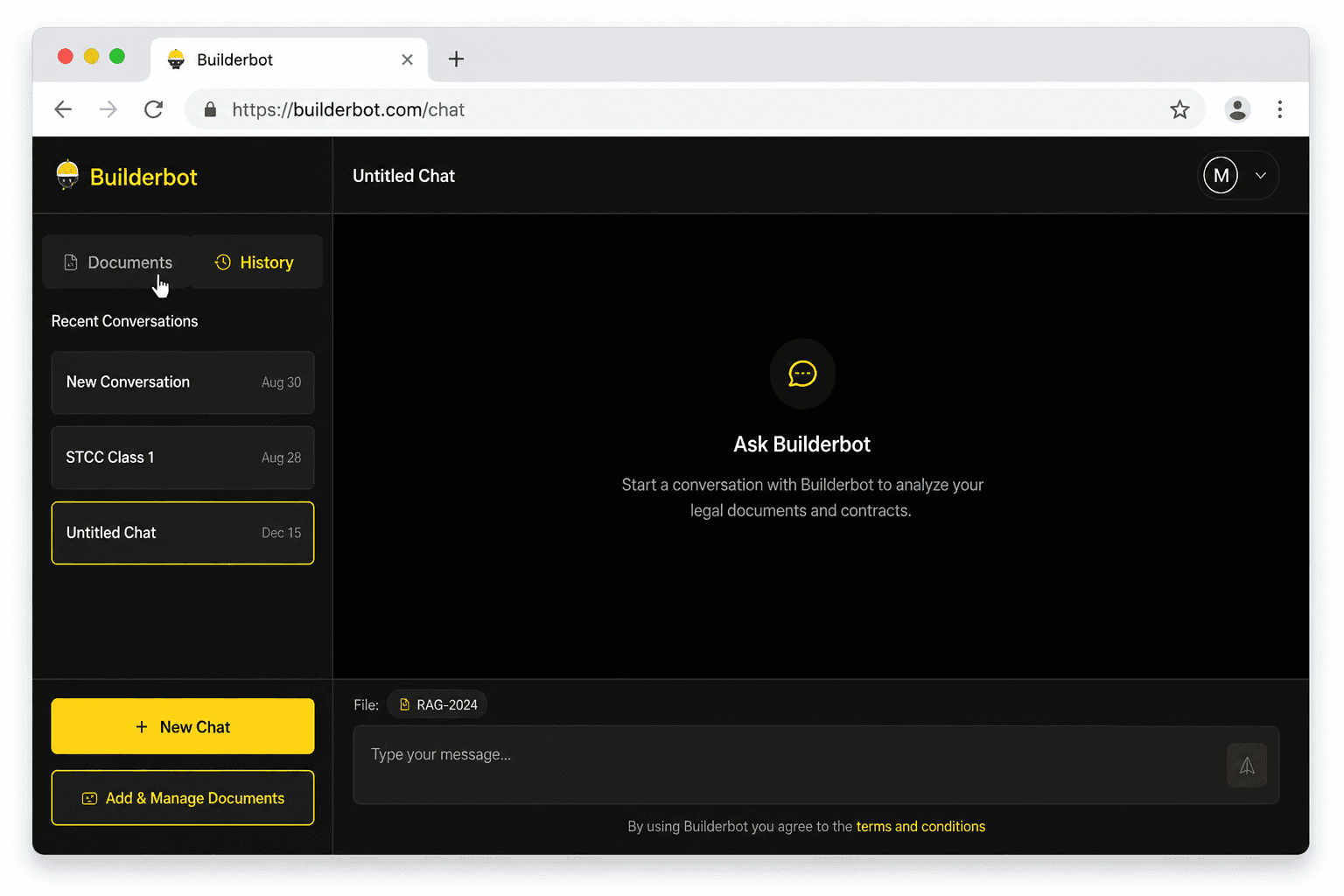
Upload Addendum 3 and Addendum 4 (or the baseline FIDIC, NEC4, or JCT contract against the client’s latest revision) into BuilderBot.ai. Within seconds, the platform generates an executive summary of every single commercial, technical, and legal change—ranking each edit by financial risk so your Commercial Manager knows exactly what to re-price or qualify.
2. Spot Unclouded Drawing Changes with MeasureonAir & Quanto Takeoff
Never trust a consultant’s revision cloud. Load revised drawing sheets into MeasureonAir and Quanto Takeoff to instantly compare old vs. new geometry, re-extract changed quantities automatically via BOQ to AI Takeoff, and push the updated delta into CostX to BOQ or Cost Plan Calculator + Financial Management.
3. Cross-Check Specs Against Subcontractor Quotes
When a late addendum changes an MEP or structural specification, run your returning subcontractor bids through Tender Evaluations to verify whether your bidders have actually priced the latest Addendum 4 requirements or are still quoting on outdated Addendum 2 scope.
4 Steps to Process a Late Tender Addendum in 15 Minutes
- Drop Revised Docs into BuilderBot.ai: Compare the new contract conditions and specification book against the previous issue to isolate all text and risk changes.
- Run Drawing Delta Takeoffs: Upload revised PDF/CAD sheets into MeasureonAir and BOQ to AI Takeoff to update NRM2, SMM7, or SLS 573 quantities automatically.
- Adjust Prelims & Cost Plans: Update any programme or cranage impacts inside Prelim and Cost Plan Calculator + Financial Management.
- Verify Subcontractor Alignment: Check bidder compliance against the new addendum inside Tender Evaluations before locking your final tender sum.
Frequently Asked Questions (FAQ)
Can BuilderBot.ai spot changes even if the client issues a scanned or flattened PDF without Track Changes?
Yes. BuilderBot.ai uses advanced OCR and semantic comparison to detect added, deleted, or reworded clauses across flattened PDFs, Word documents, and scanned contract schedules—even when no revision marks are present.
How does this help Civil Engineers and QS teams post-contract?
During live construction, Civil Engineers and Quantity Surveyors use BuilderBot.ai, Quanto Takeoff, and the BuildMonitor Mobile App to compare "For Construction" revisions against "Tender Issue" drawings—automatically substantiating every Variation claim with exact quantity deltas and contractual citations.
Stop Pulling All-Nighters Over Late Tender Addenda
Let Concolabs’ AI scan, compare, and quantify every addendum revision in minutes so your team submits with total confidence.
👉 Select "BuilderBot.ai" or "MeasureonAir" in the sidebar right now to see our live addendum comparison in action.